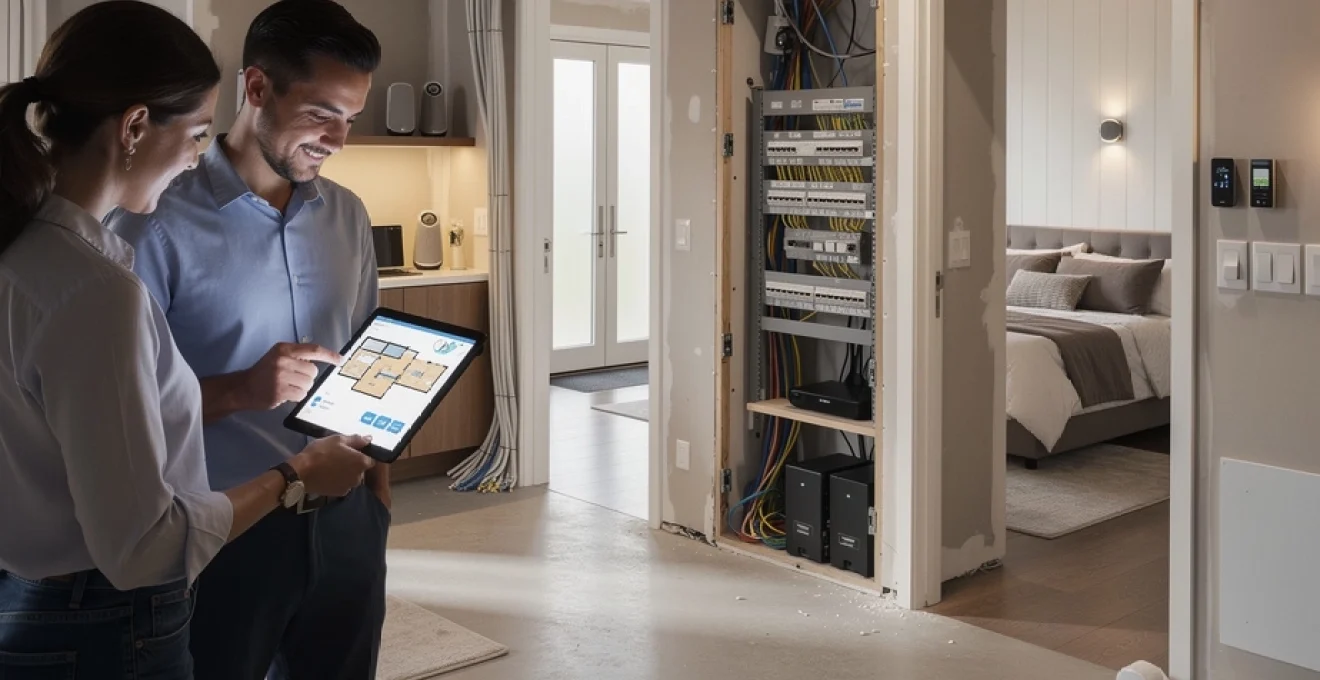
Home renovations present a unique opportunity to embed intelligent technology into the fabric of your property rather than retrofitting devices after construction is complete. The difference between a smart home that feels cohesive and one that appears cobbled together often comes down to planning during the renovation phase. With the UK smart home market experiencing exponential growth—projected to exceed £3.2 billion by 2027—homeowners are increasingly recognising that integrated automation isn’t merely about convenience; it’s about creating spaces that adapt to your lifestyle whilst increasing property value and operational efficiency.
The challenge lies in determining which systems warrant permanent installation during your renovation and which can be added later. Some technologies, such as structured cabling and in-wall smart switches, become exponentially more difficult and costly to install after walls are closed. Others, like standalone smart speakers, can be positioned at any time without affecting your renovation budget or timeline. Understanding this distinction ensures you make strategic investments that enhance your home’s intelligence without unnecessary expenditure or future disruption.
Smart lighting systems: lutron, philips hue and hardwired dimming solutions
Lighting represents perhaps the most transformative aspect of smart home integration, affecting both functionality and atmosphere throughout your property. During renovations, you have the opportunity to implement sophisticated lighting control systems that would be impractical to install in finished spaces. Modern smart lighting extends far beyond simple on-off control, encompassing colour temperature adjustment, automated scheduling, occupancy detection, and integration with other home systems to create comprehensive environmental control.
The decision between wireless systems like Philips Hue and hardwired solutions such as Lutron’s RadioRA or Caséta platforms depends largely on your renovation scope and long-term objectives. Philips Hue offers exceptional flexibility with colour-changing capabilities and straightforward installation, making it ideal for homeowners who value experimentation and frequent reconfiguration. However, Lutron’s professional-grade systems provide superior reliability, faster response times, and seamless integration with architectural lighting designs that include recessed fixtures, under-cabinet lighting, and landscape illumination.
Wireless mesh protocols: zigbee, Z-Wave and thread network architecture
Understanding wireless protocols becomes essential when selecting smart lighting during renovations. Zigbee and Z-Wave create mesh networks where each device acts as a signal repeater, strengthening coverage throughout your home. This architecture proves particularly valuable in larger properties or those with challenging construction materials like concrete or metal framing that can impede wireless signals. Thread, the newest protocol supported by the Matter standard, offers improved power efficiency and direct integration with Thread Border Routers built into devices like Apple HomePod mini and Google Nest Hub.
During your renovation planning, consider placing primary mesh nodes—typically mains-powered smart switches or plug-in modules—strategically to ensure comprehensive coverage. Battery-powered devices like motion sensors and wireless switches function as endpoints but don’t extend the mesh network. Positioning at least one mains-powered Zigbee or Z-Wave device in each room creates a robust network that maintains responsiveness even as you add devices over time. This forward-thinking approach prevents connectivity issues that plague many smart home installations.
In-wall smart switches and dimmer module installation requirements
Installing in-wall smart switches during renovations eliminates the single greatest limitation of most smart lighting systems: the requirement that wall switches remain in the “on” position for smart bulbs to function. Hardwired smart switches such as those from Lutron Caséta, Leviton Decora Smart, or Aqara provide conventional switching functionality whilst enabling remote control, automation, and scene activation. These devices maintain power to your lighting circuits regardless of physical switch position, ensuring your smart bulbs remain controllable via apps or voice commands.
The installation requirements differ significantly from standard switches. Most smart switches require a neutral wire at the switch location—a configuration not present in many older UK properties where switches traditionally interrupt only the live conductor. Your renovation electrician can easily add neutral wires to switch boxes during the rough-in phase, but retrofitting them after walls are closed proves considerably more complex and expensive. Additionally, smart dimmers require minimum loads (typically 25-40 watts) to function properly, making them incompatible with very small LED fixtures without load resistors or specialised low-load dimmers.
Colour
temperature control sits at the heart of a healthy lighting design. Human-centric lighting aims to support your natural circadian rhythm by shifting from cool, energising light in the morning to warm, relaxing light in the evening. During renovations, choosing fixtures and control systems that support tunable white (typically 2700K–6500K) allows you to implement circadian programming without replacing hardware later.
Systems such as Philips Hue, Lutron Ketra, or Casambi-enabled drivers allow you to create schedules that mirror natural daylight patterns. For example, you might schedule cool 4000K light in your home office until late afternoon, then gradually transition to 2700K in living spaces to encourage melatonin production and better sleep. When planning circuits and zones with your electrician, group fixtures by function and room usage so each area can follow its own circadian profile rather than applying a one-size-fits-all schedule.
Multi-room scene creation and occupancy sensor integration
Once your smart lighting infrastructure is in place, multi-room scene creation is where the system becomes genuinely intuitive. Rather than adjusting individual dimmers, you can trigger pre-set scenes like “Evening Relax”, “Entertain” or “Away” that coordinate brightness, colour temperature, and even exterior lighting across multiple spaces. Lutron, Control4 and similar platforms allow you to map these scenes to wall keypads, voice commands, or automations linked to time of day or occupancy.
Occupancy and vacancy sensors further streamline daily life and improve energy efficiency. During renovations, you can specify ceiling-mounted or wall-mounted sensors in circulation spaces such as hallways, utility rooms and WCs, where people often forget to turn lights off. Pairing sensors with dimming logic—for instance, stepping down to 20% brightness before switching off entirely—reduces abrupt changes and extends LED lifespan. Have your integrator ensure sensor placement avoids false triggers from pets or external movement, and consider combining motion with ambient light sensing so lights only activate when needed.
Whole-home voice control infrastructure: amazon alexa, google assistant and apple HomeKit compatibility
Voice assistants have become the user interface of choice for many smart homes, but the underlying infrastructure is often overlooked during renovations. Instead of scattering devices haphazardly after the fact, you can plan a cohesive whole-home voice control layout that delivers reliable response, consistent coverage and minimal visual clutter. Deciding early whether you’ll lean towards Amazon Alexa, Google Assistant, or Apple HomeKit (via Siri) helps you select compatible devices, AV receivers, and smart home hubs that “speak the same language”.
Remember, you’re not limited to smart speakers alone. Many modern soundbars, TVs, and thermostats include built-in voice assistants, and these can be strategically integrated into your renovation plans. By thinking of voice control as another layer of infrastructure—much like lighting or data cabling—you avoid dead spots where commands aren’t heard and ensure that key rooms have discreet but effective access to your preferred platform.
Ethernet-backboned smart speaker placement and network topology
Whilst most smart speakers operate over Wi-Fi, wiring key devices via Ethernet during renovations dramatically improves reliability and latency. Think of your hardwired speakers as anchor points in your smart home network topology, handling high-traffic tasks like multi-room audio, intercom use, and voice control in busy areas. Running Cat6a to ceiling or high-wall locations for in-ceiling speakers or wall-mounted touchscreens allows you to avoid trailing power bricks and visible cables later.
When planning placement, consider where you naturally give voice commands: kitchen worktops, living rooms, hallways and bedrooms are typical hotspots. Aim for one primary device per floor, supplemented by secondary speakers in large or acoustically challenging spaces. Your network switch or router should be located in a centralised rack or cupboard, with Ethernet runs to key rooms; this star topology minimises bottlenecks and keeps your smart home ecosystem stable even when Wi-Fi traffic is high.
Intercom functionality through distributed echo devices
One often underutilised feature of voice assistants is their built-in intercom capability. Distributed Echo devices, Nest speakers, or HomePods can double as a modern whole-house intercom, allowing you to “drop in” on specific rooms, make household announcements, or call family members without shouting up the stairs. During renovations, having power and data where these devices will live makes the system feel intentional rather than improvised.
For families with children or multi-generational households, this can become a surprisingly valuable quality-of-life feature. You might, for instance, announce that dinner is ready to all devices at once, or quietly check in on a nursery from the living room. When planning, think about privacy: you may want intercom functionality in communal spaces like kitchens and playrooms, but restrict it in bedrooms or home offices. Most platforms allow granular control over which devices can receive calls or announcements.
Matter protocol implementation for cross-platform device communication
The emergence of the Matter standard is reshaping how smart home devices communicate, reducing the fragmentation that has frustrated early adopters. Matter aims to ensure that lights, locks, sensors and other devices can be controlled regardless of whether you use Alexa, Google Assistant, or Apple HomeKit as your primary interface. For renovations, this means you can focus on choosing the best-in-class hardware without worrying as much about lock-in to a single ecosystem.
To take advantage of Matter, look for devices explicitly labelled as “Matter-compatible” and ensure your chosen hubs or smart speakers support it. Many newer routers and border routers also act as Thread gateways, giving you a robust low-power mesh for sensors and switches. By standardising on Matter-ready equipment where possible, you future-proof your renovation, making it easier to swap out or add devices as technology evolves without rewiring or reconfiguring your entire system.
Privacy-focused voice processing with local wake word detection
As voice assistants become more embedded in our homes, privacy considerations move to the forefront. Many homeowners are understandably wary of always-listening microphones, particularly in private spaces. Renovations offer the chance to design a privacy-conscious voice control strategy from the outset, choosing devices and configurations that prioritise local processing where possible. Some modern assistants perform wake word detection on-device, sending audio to the cloud only after activation.
You can also segment your home, placing voice assistants in high-traffic communal areas whilst leaving bedrooms and bathrooms free of microphones. Hardware mute buttons, status LEDs, and clearly visible placement help reassure occupants about when devices are active. For more advanced setups, you might work with an integrator to use local voice control systems that run on a home server, limiting cloud dependency. The key is to balance convenience with control so you feel comfortable embracing whole-home voice automation.
Advanced HVAC automation: nest, ecobee and zoned climate control
Heating and cooling typically account for a large portion of household energy use, making HVAC automation one of the most impactful smart home upgrades during renovations. Smart thermostats from Nest, Ecobee, Honeywell and others provide scheduling, remote control, and energy reporting—but the real gains come when you pair them with zoned systems and sensors across your property. Rather than treating the house as a single thermal block, you can tailor comfort to how and when each space is used.
Renovation works create the perfect moment to upgrade boilers, heat pumps, and ductwork whilst also accommodating low-voltage control wiring and additional sensors. Whether you’re retrofitting a Victorian terrace or building an extension, planning your climate control with smart zoning in mind can reduce running costs and improve comfort dramatically. The result is a home that feels responsive rather than over-heated in some rooms and chilly in others.
Multi-zone damper systems with individual room thermostats
In traditional central heating systems, a single thermostat controls the entire property, leading to overheated bedrooms or under-heated living spaces. Multi-zone damper systems solve this by using motorised dampers or manifold valves to regulate airflow or hot water to different areas, each controlled by its own thermostat or temperature sensor. During renovations, you can divide your home into logical zones—such as living areas, bedrooms, and loft spaces—based on usage patterns and insulation levels.
Pairing these zones with smart thermostats or room sensors from Ecobee or Tado allows you to set different temperatures and schedules for each area. For instance, you might keep bedrooms cooler during the day and pre-heat them in the evening, while your home office maintains a steady temperature during working hours. Installing the necessary wiring, manifolds and dampers when walls and floors are already open avoids costly rework and ensures a clean, integrated finish.
Geofencing and occupancy-based temperature scheduling
Geofencing uses your smartphone’s location to detect when you’re approaching or leaving home, allowing your HVAC system to pre-heat or pre-cool accordingly. Combined with occupancy sensors or smart radiator valves, this ensures you only use energy when and where it’s needed. Many modern thermostats can learn your routine over time, adjusting schedules automatically so you’re comfortable without constant manual tweaking.
During renovations, you can expand on this by installing wired occupancy sensors in key rooms, particularly spaces like guest rooms that may sit unused for long periods. Integrating these with your smart thermostat platform means heating can drop back when a room is empty and resume when movement is detected. Wondering how this affects comfort on cold winter mornings? Most systems allow you to define minimum temperatures per room, so you never return to a freezing space even when automation is aggressively optimising for efficiency.
Integration with motorised blinds for passive solar heat management
HVAC automation becomes even more effective when paired with motorised blinds and curtains to manage solar gain. On sunny winter days, opening south-facing blinds can help warm interior spaces naturally, reducing boiler runtime. Conversely, in summer, closing blinds during peak sun hours can significantly cut cooling loads and prevent rooms from overheating. Integrating blind control with your climate system allows these adjustments to happen automatically rather than relying on manual intervention.
During renovations, specify wiring paths for blind motors and consider placing temperature and light sensors near key windows. Many platforms can execute rules such as “close blinds when indoor temperature exceeds 24°C and sun is detected on this elevation” or “open blinds in the morning when external temperature is below a set point”. This kind of passive solar management acts like putting sunglasses and a coat on your home, reducing the strain on mechanical systems while maintaining comfort.
Comprehensive security integration: ring, arlo and hardwired camera infrastructure
Smart security has evolved from simple alarm panels to comprehensive ecosystems of cameras, sensors, locks and sirens that you can monitor from anywhere. Renovations offer the ideal time to decide what should be permanently wired—such as external cameras and door contacts—and what can remain wireless for flexibility. A hybrid approach often works best: robust, tamper-resistant wired components for perimeter protection, complemented by wireless devices that can be repositioned as your needs change.
Brands like Ring and Arlo make it easy to get started with battery-powered cameras and video doorbells, but if you’re already opening walls and running new services, it’s worth considering hardwired options for reliability and continuous recording. Planning camera positions, field of view and cable routes during design gives you better coverage, tidier installations, and fewer compromises down the line.
Power over ethernet camera installation and NVR storage solutions
Power over Ethernet (PoE) cameras are a strong choice for renovation projects because they receive both power and data over a single network cable. This eliminates the need for separate power supplies and allows you to centralise recording on a Network Video Recorder (NVR) located in a secure cupboard or rack. PoE systems are particularly well suited to external cameras where battery changes or Wi-Fi dropouts would be inconvenient or risky.
When designing your cabling plan, run Cat6a cable to soffits, eaves, or dedicated camera brackets that provide clear views of entry points, driveways, and garden boundaries. Your NVR should have sufficient storage for at least 14–30 days of footage, with options for motion-triggered recording to conserve space. By centralising recording rather than relying solely on cloud storage, you maintain access even if your internet connection goes down, enhancing the resilience of your home security system.
Smart door locks: yale, august and keyless entry system wiring
Smart door locks provide keyless entry, temporary access codes, and detailed logs of who entered and when. For UK renovations, models from Yale, Ultion, and August are common, often designed to retrofit onto existing multi-point locking mechanisms. While many locks are battery-powered and communicate wirelessly, planning for them during renovation allows you to address door alignment, strike plate reinforcement, and, where applicable, low-voltage power.
If you’re installing a more advanced access control system—perhaps integrated with a gate, communal entrance, or video intercom—you may need power and data cabling to door frames or pillars. This is far easier to accommodate when walls are open than after plastering and painting are complete. Think about your typical entry patterns: do you want automatic unlocking when you arrive home with your phone, or would you prefer PIN codes and physical fobs? Designing the system around your habits ensures security enhancements feel natural rather than cumbersome.
Window and door contact sensors with Z-Wave security panels
Magnetic contact sensors on windows and doors remain one of the most reliable ways to detect unauthorised entry. Integrated with a Z-Wave or Zigbee security panel, they can trigger alarms, send notifications, or turn on lights when a perimeter breach occurs. During renovations, you can choose between surface-mounted wireless sensors, which are quick to install, and recessed wired sensors that are almost invisible once fitted.
Wired sensors require low-voltage cabling from each opening back to a central panel, making them ideally suited to new builds or major refurbishments. Z-Wave-based alarm panels can then expose these sensors to your wider smart home system, allowing automations such as pausing HVAC when windows are opened or arming specific zones at night. By combining traditional alarm hardware with modern connectivity, you gain both robustness and flexibility in your home security strategy.
Structured cabling and network infrastructure for IoT devices
Behind every reliable smart home is a solid network foundation. With the number of connected devices in UK homes rising rapidly—from smart TVs and consoles to thermostats, cameras, and sensors—relying solely on a single Wi-Fi router is a recipe for congestion and dead spots. Structured cabling installed during renovations gives you a high-bandwidth backbone that supports both current and future IoT requirements, from 4K streaming to whole-home automation.
Rather than thinking of Ethernet as an optional extra, it’s helpful to view it as the digital equivalent of plumbing: an essential service that should be designed and installed with long-term use in mind. By pulling cables now to strategic locations, you reduce dependence on wireless links for fixed devices like TVs, access points, hubs and cameras, leaving your Wi-Fi free for mobile devices.
Cat6a ethernet distribution and centralised patch panel design
Cat6a cabling strikes an excellent balance between performance and cost for residential projects, supporting 10Gbps speeds over typical home distances. During renovation, specify home-run (star) cabling from a central communications cupboard or rack to each key room. Terminate these runs on a patch panel in the cupboard and on RJ45 wall outlets where devices will be used—behind TVs, near desks, and in ceilings for access points or cameras.
This centralised patch panel design allows you to reconfigure services over time without opening walls, simply by moving patch leads between your switch, router, and other equipment. Need to add a PoE camera or upgrade an access point? You can do so from the comms cupboard without disturbing finished spaces. Allow extra capacity by running at least two cables to high-demand areas like media walls and home offices; the marginal cost now is far lower than retrofitting later.
Dedicated IoT VLAN configuration and network segmentation
With dozens of smart devices connecting to your network, security and performance become key concerns. Network segmentation using VLANs (Virtual Local Area Networks) lets you group IoT devices on their own logical network, separate from your personal laptops and phones. Many modern routers and managed switches aimed at prosumer or small business users support VLANs, making this an achievable upgrade for tech-savvy homeowners and their installers.
By placing IoT devices on a dedicated VLAN with restricted access to your main network, you reduce the risk that a compromised smart bulb or camera could be used as a stepping stone to more sensitive data. You can still allow controlled communication where needed—for example, letting your smartphone app talk to your lighting system—whilst blocking unnecessary traffic. During renovations, ensure your core networking gear has VLAN support and is housed in a ventilated, secure location with sufficient power and cable management.
Uninterruptible power supply sizing for smart home hubs
Smart homes rely on always-on infrastructure: routers, switches, hubs, and sometimes local servers or NVRs. A brief power cut can render automations useless, disable remote access, and interrupt security recordings at precisely the wrong moment. An uninterruptible power supply (UPS) mitigates this by providing battery backup and surge protection, allowing critical devices to ride through short outages or shut down gracefully during longer ones.
When sizing a UPS during renovation planning, list all equipment you consider essential—typically your modem, router, core switch, smart home hub, and security recorder. Add up their combined power draw and choose a UPS that can support them for at least 20–60 minutes. Locating the UPS in your central comms cupboard keeps things tidy and makes it easier to test and maintain. Think of it as adding a small safety net under your digital infrastructure, ensuring that smart locks, alarms and cameras continue to function even when the lights flicker.
Wi-fi 6 access point placement and mesh network planning
Even with strong wired infrastructure, robust Wi-Fi remains vital for mobile devices and many smart home products. Wi-Fi 6 (802.11ax) offers improved capacity, efficiency and performance in congested environments, making it well suited to homes filled with IoT devices. Rather than relying on a single router, consider a distributed system of ceiling- or wall-mounted access points connected back to your switch via Ethernet.
During renovations, you can plan access point locations to ensure even coverage—typically one per floor in smaller homes, and additional units for large or complex layouts. Avoid hiding APs behind metal objects or inside cupboards, as this attenuates signal strength. If running Ethernet everywhere isn’t practical, modern mesh Wi-Fi systems can fill gaps, but hardwiring at least the primary nodes will always yield better stability. A well-designed Wi-Fi layout prevents the frustrating dead zones and dropouts that undermine the smart home experience.
Motorised window treatments and automated shading systems
Motorised blinds and curtains used to be considered a luxury reserved for high-end properties, but they are rapidly becoming a practical element of energy management and privacy in modern smart homes. Automated shading controls glare, protects furnishings from UV damage, and helps regulate temperature by managing solar gain. Integrating these systems during renovations allows you to conceal power supplies, run low-voltage cabling, and coordinate control with your lighting and HVAC automation.
From a user perspective, automated blinds can be as simple or as sophisticated as you like. You might start with scheduled opening at sunrise and closing at sunset, then progress to dynamic control based on room temperature, time of day, or even voice commands. By embedding the necessary infrastructure now, you leave the door open—literally and figuratively—to more advanced functionality later.
Somfy and lutron serena motorisation retrofit solutions
Brands like Somfy and Lutron Serena offer a range of motorisation options suitable for both new installations and retrofits. For renovations, you can specify roller blinds, Roman shades, or curtain tracks with integrated motors that connect either via low-voltage cabling or wireless protocols such as RTS, Zigbee, or proprietary RF. Working with a window treatment specialist alongside your electrician ensures that power points and control wiring align with the final blind positions.
If you’re updating existing windows but not replacing all the joinery, retrofit motorised kits can convert manual blinds to powered ones without major building work. These can then be tied into your wider smart home ecosystem via hubs or bridges, allowing you to include shading in scenes like “Movie Night” or “Good Morning”. Planning pelmet depths, recesses, and side channels during renovation ensures a sleek, integrated appearance rather than visible brackets and cables.
Solar positioning algorithms for automatic blind adjustment
More advanced shading systems can use solar tracking algorithms to adjust blinds automatically based on the sun’s position relative to your property. By factoring in window orientation, time of day, and season, the system can reduce glare on screens, protect artwork, and minimise overheating without constant manual tweaks. This is particularly beneficial for south- and west-facing glazing, where low-angle sun can be both dazzling and thermally uncomfortable.
To enable this, your integrator may combine external light sensors, weather data, and room temperature readings with your motorised blind controls. The result is a dynamic façade that behaves a little like transition lenses on a pair of glasses—clear when conditions are gentle, and progressively darker as the sun intensifies. During renovations, ensuring reliable connectivity and power to each window zone is the foundational step that makes these sophisticated automations possible later.
Battery-powered versus mains-powered motor selection criteria
Choosing between battery-powered and mains-powered blind motors is a key decision during renovation. Battery motors, often rechargeable via USB or solar trickle chargers, are simpler to install and ideal where running new wiring is impractical. However, they may require periodic maintenance and are less suited to very large or heavy window coverings. Mains-powered motors, by contrast, offer greater torque and long-term reliability but require planning for cabling, fused spurs, and sometimes control wiring back to a central hub.
As a rule of thumb, if walls and ceilings are already open, it’s worth investing in wired motors for primary living spaces and large expanses of glazing. Reserve battery options for smaller windows, secondary rooms, or locations where wiring would be disruptive or visually intrusive. By matching the motor type to the window’s size, usage frequency, and accessibility, you strike the right balance between installation effort and day-to-day convenience in your smart home renovation.